RAG (Retrieval-Augmented Generation) Explained: Chatting with Your Company Data
Key Takeaways
- →RAG lets AI chat with your company data without expensive fine-tuning
- →RAG reduces hallucinations by 70-90% compared to base LLM responses
- →The architecture: document ingestion → vector embedding → semantic search → LLM synthesis
- →Build cost: $5K-$20K for a basic system, $50K-$200K for enterprise-grade
- →Start with internal knowledge base Q&A - highest ROI with lowest risk

Your company has 10 years of product documentation, customer support tickets, internal wikis, and SOPs scattered across Google Drive, Notion, Confluence, and SharePoint. When employees need answers, they spend 20 minutes searching or ping three different Slack channels hoping someone knows. Meanwhile, you are paying for ChatGPT Enterprise, but it cannot access any of your proprietary data without manually copy-pasting context into every prompt. The result is wasted time, inconsistent answers, and AI tools that deliver 10% of their potential value.
The problem is not your tools or your team. The problem is that generic AI models were trained on public internet data, not your business. Retrieval-Augmented Generation (RAG) solves this by connecting AI directly to your company's knowledge base, turning every employee into an expert with instant access to verified internal information.
The Old Way vs. The New Way
The Old Way: Manual Knowledge Management (How Most Companies Still Operate)
When someone needs an answer, they search internal systems manually. They type keywords into SharePoint, scroll through 47 outdated Google Docs, ask on Slack, or email the one person who might know. If they are lucky, they find the right document in 15 minutes. If not, they waste 45 minutes, give up, and make their best guess. Knowledge lives in silos. Onboarding new employees takes weeks because they have to learn where everything is stored. Customer support agents toggle between six tabs to answer one ticket. Product teams rebuild features because no one knew the solution already existed in a legacy codebase.
The New Way: RAG-Powered Knowledge Systems (How Fast Companies Operate)
With RAG, employees ask questions in plain English and get instant, accurate answers pulled directly from your company's data. Instead of searching, they chat. Instead of guessing which document is current, the system retrieves the most relevant, up-to-date information automatically. RAG works by converting your documents into searchable vectors stored in a database. When someone asks a question, the system finds the most relevant chunks of text and feeds them to an AI model like GPT-4 or Claude, which generates a precise, contextualized answer. The AI is not guessing. It is referencing your actual data in real time. Companies using RAG report 60% to 80% reductions in time spent searching for information and 3x faster onboarding cycles.
| Metric | Old Way | New Way |
|---|---|---|
| Average Search Time | 15 to 45 minutes per query | 10 to 30 seconds per query |
| Accuracy of Answers | Inconsistent, depends on who you ask | High, grounded in verified documents |
| Onboarding Speed | 4 to 6 weeks to productivity | 1 to 2 weeks to productivity |
| Knowledge Accessibility | Siloed, requires knowing where to look | Centralized, accessible via natural language |
| Cost of Ignorance | Teams rebuild solutions, duplicate work | Knowledge reuse prevents redundancy |
The Core Framework: How to Build Your RAG System
Building a RAG system is not as complex as it sounds. You do not need a PhD in machine learning. You need a clear process and the right tools. Here is the step-by-step framework.
Step 1: Identify Your High-Value Knowledge Sources
Do not try to index everything on day one. Start with the 20% of documents that answer 80% of your team's questions. Examples include product documentation, troubleshooting guides, SOPs, customer FAQs, sales playbooks, and onboarding materials. Audit your internal systems and flag the documents employees reference most often. These are your starting knowledge sources. Export them as PDFs, Word docs, or plain text files.
Step 2: Convert Documents into Vector Embeddings
RAG systems do not read text the way humans do. They convert text into numerical representations called embeddings, which capture semantic meaning. For example, the phrases "how do I reset a password" and "forgot my login credentials" would have similar embeddings even though the words are different. You use an embedding model like OpenAI Ada, Sentence-BERT, or Cohere to convert each document chunk (usually 500 to 1000 characters) into a vector. These vectors are stored in a vector database like Pinecone, Weaviate, or Qdrant.
Step 3: Build the Retrieval Pipeline
When a user asks a question, the system converts that question into a vector using the same embedding model. It then searches the vector database for the most similar document chunks. This is called semantic search. The system retrieves the top 3 to 5 most relevant chunks and passes them to the AI model as context. Unlike keyword search, semantic search understands meaning. If someone asks "What is our refund policy?" the system retrieves documents about returns, refunds, and cancellations, even if the exact word "refund" is not present.
Step 4: Connect the Generator (Your LLM)
The final step is connecting the retrieval layer to a large language model like GPT-4, Claude, or Llama. If you're considering a self-hosted model for data privacy reasons, our Llama vs GPT-4 comparison covers the performance and cost trade-offs at enterprise scale. The retrieved document chunks are inserted into the prompt as context, and the LLM generates a response based on that context. The key difference between RAG and standard ChatGPT is that RAG grounds the answer in your actual data. The LLM is not making things up. It is synthesizing information from the documents you provided. You can also include source citations in the output so users know exactly where the answer came from.
The Hard ROI: Prove the Value in Dollars
Let me show you the math on what RAG saves your business.
Time Savings Breakdown:
If your team of 50 employees searches for information 5 times per day, spending an average of 20 minutes per search, that is 100 minutes per person per day. Over a year, that is 416 hours per employee. At a loaded cost of $80 per hour, each employee wastes $33,280 annually searching for information. Across 50 employees, that is $1.66 million per year. RAG reduces search time by 80%, cutting it from 20 minutes to 4 minutes. That is a savings of $26,624 per employee per year, or $1.33 million annually for the team. Even if you spend $50,000 building and hosting a RAG system, you recover the investment in two weeks.
Revenue Impact: Faster Customer Support
RAG supercharges customer support teams by giving agents instant access to every support article, troubleshooting guide, and product spec. Combine this with AI customer support agents and you have a system that resolves tickets autonomously while citing your exact documentation. Instead of putting customers on hold while they search for answers, agents respond in real time. Companies using RAG in support report 50% faster ticket resolution times. If your support team handles 10,000 tickets per month and RAG reduces resolution time from 10 minutes to 5 minutes per ticket, that is 833 hours saved per month. That is enough capacity to handle 20% more volume without hiring additional headcount. For a SaaS company doing $10 million in ARR, faster support directly correlates with higher retention. A 2% improvement in retention driven by better support adds $200,000 in revenue annually.
Onboarding Acceleration
New hires spend weeks learning where information lives and who to ask for help. With RAG, they ask questions and get answers immediately. Companies using RAG report cutting onboarding time from 6 weeks to 2 weeks. If you hire 20 people per year at an average salary of $100,000, accelerating onboarding by 4 weeks saves $76,923 in lost productivity per new hire. Across 20 hires, that is $1.54 million in value annually.
Tool Stack: What You Need to Build RAG
You do not need 10 tools. You need the right 3 to 5. Here is the stack I recommend.
Vector Database: Pinecone or Weaviate
Your vector database stores all your document embeddings. Pinecone is the easiest to get started with. It is fully managed, scales automatically, and has a generous free tier. Weaviate is open source and offers more control if you need to self-host. Both support hybrid search, which combines semantic search with keyword filters for even better accuracy. For most companies, Pinecone is the right starting point. Pricing starts at $70 per month for production workloads.
Embedding Model: OpenAI Ada or Cohere
You need an embedding model to convert text into vectors. OpenAI's Ada model is the industry standard. It is fast, affordable (less than $0.10 per million tokens), and produces high-quality embeddings. Cohere is another strong option with better multilingual support. Both integrate seamlessly with popular vector databases.
LLM for Generation: GPT-4, Claude, or Llama
Your generator takes the retrieved context and produces the final answer. GPT-4 is the gold standard for accuracy and reasoning. Claude 3.5 Sonnet is excellent for long-context tasks and offers better instruction following. If you need full control or want to self-host, Llama 3 is the best open-source option. Pricing varies. GPT-4 costs about $0.03 per 1,000 input tokens. Claude and Llama offer competitive pricing.
RAG Framework: LangChain or LlamaIndex
Instead of building the retrieval and generation pipeline from scratch, use a framework. LangChain and LlamaIndex are the two most popular. They handle chunking documents, managing embeddings, orchestrating retrieval, and connecting to LLMs. Both are open source and have extensive documentation. LlamaIndex is slightly easier for beginners. LangChain is more flexible for complex workflows.
Optional: Document Parsing Tools
If your documents are PDFs, scanned images, or complex formats, you will need parsing tools. Unstructured.io is an excellent library for extracting text from messy documents. For OCR on scanned files, use Tesseract or AWS Textract.
Stop Searching, Start Asking
Your company's knowledge is its competitive advantage. But only if people can access it. Every minute your team spends searching for information is a minute they are not solving problems, closing deals, or building products.
RAG eliminates search. It turns your knowledge base into a conversational interface where anyone can ask questions and get instant, accurate answers backed by your real data. The best companies are not just adopting RAG. They are using it to onboard faster, support customers better, and unlock the institutional knowledge trapped in documents.
Do not wait for the perfect system. Start with one use case. Pick your most-accessed documents. Build a proof of concept in two weeks. If you want to go deeper on the build process, our step-by-step guide to building a RAG system covers every technical decision from chunking strategy to deployment. Our private AI infrastructure services can build it for you if you need production-grade results fast. Show the ROI. Then scale. Because in six months, you will either be the company where everyone has instant access to every answer, or the company still telling new hires to "search the wiki."
Keep Reading
For the complete strategic picture, read why enterprises need private LLMs.
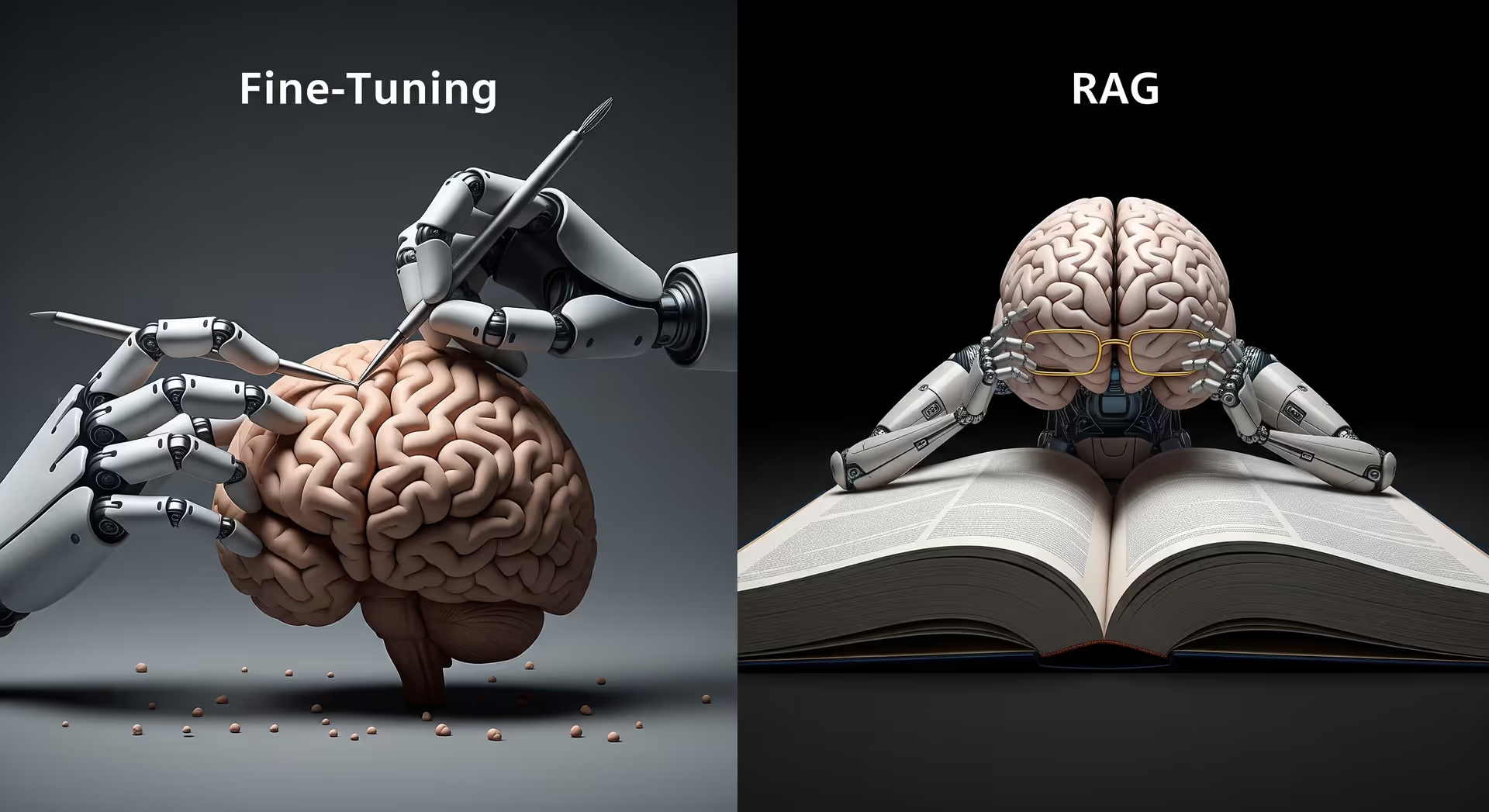
You might also find value in fine-tuning vs. RAG for business AI.
Related: using RAG to power AI customer support agents.
Ready to take the next step? Book a free strategy call or explore our services.
Frequently Asked Questions
What is RAG and how does it work?+
What is the difference between RAG and fine-tuning?+
How much does it cost to build a RAG system?+
How does RAG work step by step?+
What is the difference between RAG and fine-tuning an LLM?+
Can I use RAG with my own company data?+
Want your team chatting with your own company data using RAG? Let's build your knowledge system.
Explore Private AI ServicesAbout the Author

Rajat Gautam
AI Consultant & Founder
My work goes far beyond recommending tools - I design AI systems that integrate directly into your workflows, eliminate inefficiencies, and deliver measurable business impact. Every solution I build is tailored, practical, and built with long-term scalability in mind.
Need help with this?
Related Topics
Related Articles


Ready to transform your business with AI? Let's talk strategy.
Book a Free Strategy Call